


Mirror App: Mirror Reflector
3.932.00 Reviews
App Specs
- Version
- 1.1.0
- Updated On
- License
- Free
- Downloads
- 100,000+
- Developer
- Tresor Tech
- Categories
- Beauty
- Platform
- Android
Screenshots
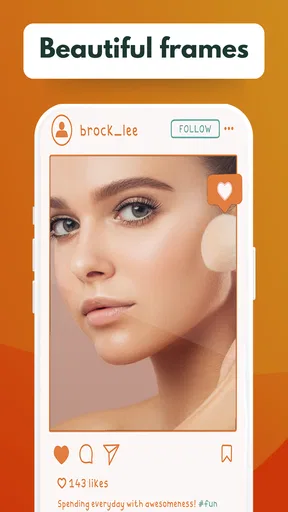
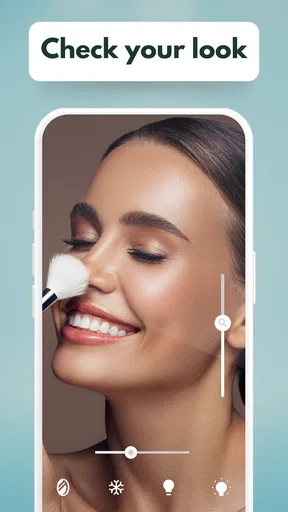
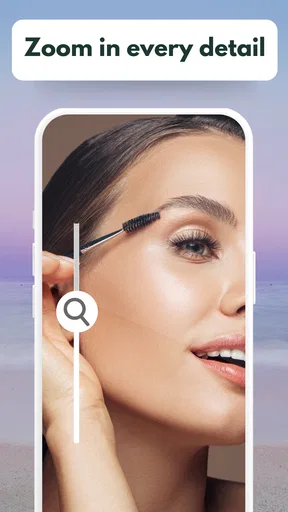
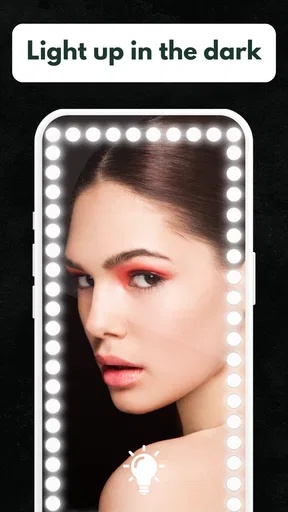

 Analysis by AppCompare
I treat a phone mirror as a quick convenience, not a replacement for a real mirror, and that is the right way to judge Mirror App: Mirror Reflector. It turns the screen into a live reflection for brief checks, with controls aimed at grooming rather than photo editing. Tresor Tech’s beauty app is free to install, though optional in-app purchases range from $0.99 to $9.99 per item. Its average rating is 3.9 from around 274 ratings, and it has over 100,000 installs. Those figures suggest a useful niche tool, but they do not tell me whether it suits every routine; the details of how you plan to use it matter more.
Everyday trust and practical use
A mirror app is pointed at your face, so I think about trust in a practical way: what the app visibly lets me control, what I need to do on screen, and whether I can keep its use brief and purposeful. I wouldn’t treat a simple mirror function as proof of a particular privacy policy or data practice. Instead, I’d review the permissions shown by my device when installing and opening it, and decide whether each request makes sense for the task. If a prompt feels unrelated to viewing a reflection, I would pause rather than approve it automatically.
What the controls are good for
Using the app is simple: open it, check the live view, then adjust the available controls to suit the moment. Zoom can help me inspect one small area, while brightness adjustment is useful if the screen is hard to see in a dim room. The freeze-frame option is handy when I want to stop the moving view and look more carefully, and the screen-lock control can prevent an interruption while I’m concentrating. These are practical choices, but they don’t turn the phone into a professional makeup light or a high-detail camera.
Small choices that improve a mirror check
I get the most from a phone mirror when I use it deliberately. For an overall hair or clothing check, I hold the phone far enough away to see the whole area instead of zooming immediately; zoom is better reserved for a detail such as lipstick edges or a stray hair. I also compare the screen view with the room’s actual lighting before making a makeup decision, since a bright display can make a face look different from how it will appear to someone standing nearby. Freeze frame is useful for pausing and examining a moment, but I wouldn’t assume it replaces a saved photograph or offers a reliable before-and-after comparison.
When a live reflection is not enough
The app is best for a fast check when there is no mirror nearby: before joining a video call, after eating, or while getting ready in a place with limited facilities. In those moments, the phone’s front-facing view is more convenient than opening a camera app and navigating photo controls. A real mirror is still better for judging your appearance in natural proportions and for seeing yourself without screen brightness influencing the view. For precise makeup work, I’d choose a well-lit physical mirror; for checking how an outfit looks from head to toe, I’d use a full-length mirror rather than trying to make a phone screen do a job it cannot do.
Questions I would consider before relying on it
Would I use it for a quick check away from home? Yes, especially for hair, a smudge, or a fast grooming touch-up. Would I depend on it for detailed beauty work? Not as my only tool, because a phone display and its lighting are not a substitute for a stable, well-lit mirror. Do the controls make the app more useful than simply opening the camera? They can: zoom, brightness adjustment, a frozen view, and keeping the screen awake are focused conveniences. And should I grant every permission or make an account without thinking? I would first read each on-device prompt and use only the choices that seem necessary to me.
A measured recommendation
I’d recommend it to someone who wants a dedicated, uncomplicated mirror screen and values quick access to zoom, brightness adjustment, and a paused view. I’d skip it if I needed professional lighting, a full-face view at a distance, or documented controls for saving and managing images; those needs call for a different tool. The app is rated for Everyone, was released on April 5, 2023, and its current version is 1.1.0, with Android 6.0 or newer required. Those details help set expectations about compatibility, while the in-app purchase range is worth noticing if you prefer to avoid optional spending. My cautious take is that it can earn a place as a pocket backup, provided you use it for brief checks and make your own choices about device permissions.
Worth Reading Before You Choose

EA SPORTS FC Mobile 26 Is a Bigger Football Game, but It Takes Time

Flipboard Shows What News Apps Must Do Beyond the Feed

Switching to Android Auto Means Rethinking Your Driving Routine

Google Calendar Makes a Crowded Week Easier to Manage

Ludo King Makes the Most of the Minutes Between Plans

Baby Panda World Brings Quick Play to Modern Phones, but Its Game Library Feels Busy
If you’ve ever been caught in a moment where you desperately needed a mirror but couldn’t find one, the Mirror App: Mirror Reflector might just become your new best friend. Whether it’s checking your hair, fixing makeup, or just making sure there’s no spinach in your teeth, this app promises to turn your smartphone into a handy mirror. Let’s dive into what makes this app tick!
First Impressions
On launching the app, you're instantly greeted by a clean and simple interface. I’ve tried a few mirror apps before, and let me tell you, not all of them are this straightforward. The app doesn’t bombard you with unnecessary clutter or ads, which is a huge win in my book. The screen automatically adjusts to provide the best possible reflection, which is crucial when you’re trying to check your appearance in a hurry.
User Experience
Using the app is as simple as pie. Just open it and, voila, instant mirror! The screen brightness automatically adjusts to give you a clearer view, and there’s a handy zoom feature in case you need a closer look. I found this particularly useful when trying to apply eyeliner on the go. There’s also a freeze frame option, which lets you pause your reflection and take a closer look without having to hold your phone steady. Talk about thoughtful design!
Features That Shine
Here’s where the app really stands out from the crowd. Besides the basic mirror function, it offers several cool features:
- Zoom Functionality: Need to focus on a specific part of your face? No problem! The zoom feature is smooth and doesn’t distort the image.
- Brightness Control: Adjust the brightness to suit your environment, ensuring you always have the perfect lighting.
- Freeze Frame: This nifty feature lets you capture your reflection, which can be super handy if you’re trying to compare different looks.
- Screen Lock: Prevents the screen from turning off while you’re using the app, so you won’t be interrupted mid-check.
Performance and Reliability
In terms of performance, the app runs smoothly without any noticeable lag. I tested it on both Android and iOS, and it performed equally well on both platforms. It doesn’t hog your battery, which is a relief when using it during the day. The app is lightweight, and updates are consistently rolled out to fix any bugs and enhance performance.
Why Choose Mirror App: Mirror Reflector?
What sets this app apart is its simplicity and effectiveness. It does exactly what it promises without any frills. The app is perfect for those quick checks when you’re on the move. Plus, the additional features like freeze frame and brightness control add a level of functionality you didn’t know you needed.
Moreover, it’s free to download, with optional in-app purchases for those who want to unlock some extra features. But honestly, the free version covers all the basics for everyday use.
Final Thoughts
All in all, the app is a handy tool for anyone who finds themselves in need of a quick reflection check. Its user-friendly interface and practical features make it a must-have app for people on the go. It’s like having a compact mirror in your pocket without the bulk. If you’re looking for a reliable mirror app that gets the job done without any fuss, this one is definitely worth a download!
Pros
- Easy interface for quick reflections
- High-quality mirror image clarity
- Adjustable brightness settings
- No intrusive ads during use
- Lightweight app
- minimal storage needed
Cons
- Limited to basic mirror functions
- No additional editing tools
- Requires good lighting for best results
- No zoom feature available
- May lag on older devices
FAQs for Mirror App: Mirror Reflector
What is the main function of the Mirror App: Mirror Reflector?
The Mirror App: Mirror Reflector is designed to turn your smartphone into a functional mirror. It utilizes your device’s front camera to provide a clear reflection, allowing you to check your appearance, apply makeup, or adjust your hairstyle conveniently without needing a physical mirror.
Does Mirror App: Mirror Reflector require an internet connection to work?
No, Mirror App: Mirror Reflector does not require an internet connection to function. It uses your device's front camera to display your reflection, meaning you can use it anytime and anywhere without needing to be connected to Wi-Fi or data services.
Are there any in-app purchases or ads within the Mirror App?
Yes, the Mirror App: Mirror Reflector includes some in-app purchases to access enhanced features such as ad-free usage or additional filters. While the basic mirror functionality is free, ads may be displayed occasionally, which can be removed through a small purchase if desired.
Is the Mirror App: Mirror Reflector compatible with all smartphone models?
The Mirror App: Mirror Reflector is compatible with most modern Android and iOS smartphones. However, some older models may not support the app due to hardware limitations, such as outdated camera technology. It’s recommended to check the app store for specific compatibility details with your device.
How does the Mirror App: Mirror Reflector ensure user privacy?
The Mirror App: Mirror Reflector prioritizes user privacy by not storing or transmitting any data from your camera. The app solely utilizes your device’s camera for live reflection and does not keep any record of your image, ensuring that your privacy is maintained while using the app.


